
How to Test Apple Watch, Galaxy Watch and AirPods for Resale
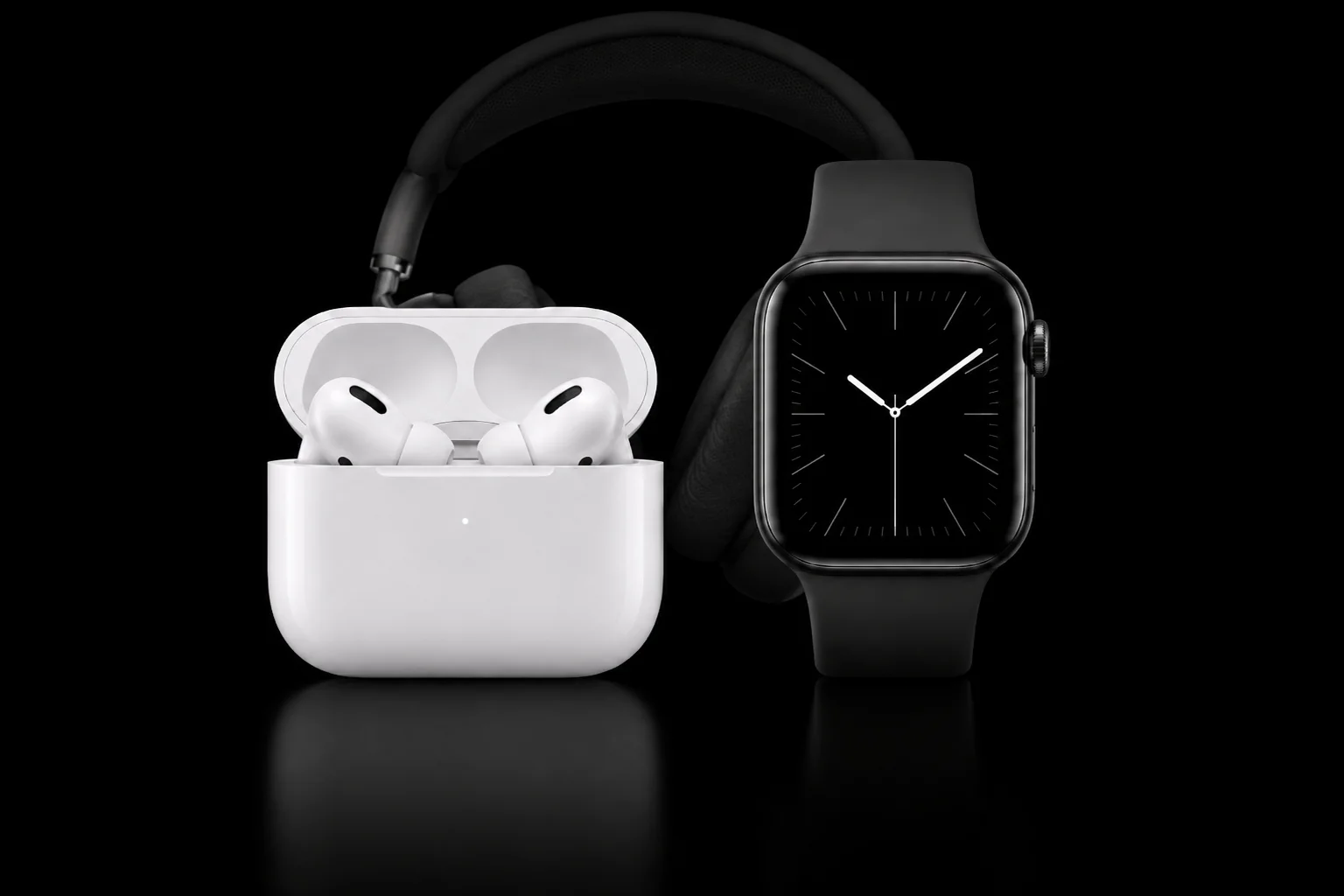
Testing Apple Watch, Galaxy Watch and AirPods for resale comes down to four jobs on every unit: confirm what the device is and that no previous owner's account still holds it, run the functional tests a buyer will care about, clear it with a record, and grade it. Phonecheck runs all three device types in the same Phonecheck 3 desktop application and cloud as your phones and tablets. Each one connects to the station differently, though, and that is what decides how fast your bench moves.
Checked against Phonecheck Desktop 3.13.3h and Phonecheck's help center, October 2026.
In this guide: Galaxy Watch · Apple Watch · AirPods · One record across the lot · Frequently asked questions
See the wearables workflow on your own stock
The three workflows at a glance
| Galaxy Watch | Apple Watch | AirPods | |
|---|---|---|---|
| Connects through | An Android phone running Phonecheck's scanner app, then Wi-Fi | One prepared iPhone (Pairing method) or a watch hub on a Mac (HUB method) | A Mac running Phonecheck 3 |
| Throughput | Up to 15 at once per station (recommended maximum) | Watch after watch through one prepared iPhone, no re-setup between units | Several sets at once, since Desktop 3.13.0 |
| Models | Galaxy Watch4 and newer | Series 4 and newer on watchOS 10 or later (Pairing method) | All generations of genuine AirPods |
| Cleared by | Erase from the device box, with an erase certificate | Erase, automatic or from the device box, with an erase certificate | A guided factory reset, recorded with the results |
| Station | Mac or Windows PC running Phonecheck 3 | Mac or Windows PC (Pairing method); Mac (HUB method) | Mac on macOS Sonoma or later |
The bench, step by step
- Check accounts at intake: the seller unpairs the Apple Watch, or removes the Galaxy Watch or AirPods from their Google, Samsung or Apple account.
- Connect each device. Galaxy Watch joins through the scanner phone and Wi-Fi, Apple Watch through the prepared iPhone or a watch hub on a Mac, and AirPods connect to a Mac.
- Let Phonecheck read the device. On Galaxy Watch it reads the model, serial number, IMEI and MDM status, and on Apple Watch through the hub the same four. On AirPods it reads the model, serial number and battery for the case and both buds.
- Run the tests for that device.
- Clear it: erase a watch, with an erase certificate, or guide a factory reset on AirPods, recorded with the results.
- Grade and label: on Galaxy Watch and AirPods the operator sets the grade on the final screen, and results sync to the cloud.
Galaxy Watch: up to 15 at once over Wi-Fi
Phonecheck tests Galaxy Watch4 and newer in Smartwatch mode [1], up to 15 watches at the same time on one station. Treat 15 as Phonecheck's recommended maximum, a ceiling to plan around rather than a fixed rate.
An Android phone, cabled to the station, runs Phonecheck's scanner app. You scan each watch with it, the watch joins the station over wireless debugging, and a new device box (the panel for that watch on the station screen) opens for the next one.
Watches join over the same Wi-Fi network as the station. If you'd rather keep them off the warehouse router, the station can broadcast its own hotspot instead. It needs a wired Ethernet connection to do that.
On connection, Phonecheck reads the watch's IMEI, serial number, model, OS version, storage, RAM, battery level and battery health, MDM status, carrier lock and country of origin. The tests cover wireless charging, the buttons, speaker and microphone, the display's color screens, vibration and a digitizer trace. Wi-Fi, Bluetooth and GPS, along with the heart-rate, accelerometer, compass, altimeter and temperature sensors, pass or fail automatically in the background. These are hardware function checks. An optional battery drain test runs against criteria you set in your cloud customization.
Each watch is erased from its device box. Phonecheck then generates an erase certificate and a Device History Report, and the erase time syncs to the cloud. On the final screen the operator sets the grade, color, LPN, comments and a custom field, and the SKU fills in from your uploaded SKU file. Labels print on Dymo, Zebra or Brother printers. Workflows can erase, power off and print the label on their own, either when the watch connects or when its results come in.
What the station needs: a Mac or Windows PC running Phonecheck 3, an Android phone on Android 7.0 or later connected by cable with USB debugging on, and Galaxy Watch4 or newer.
Check the account before the bench. Phonecheck detects account locks on Galaxy Watch. Samsung's support pages also show how a reset watch can still ask for the account that was on it: the Google account saved on the watch after an automatic reset [7], and the same Samsung account after a recovery reset [8]. Make account removal part of your intake terms with the seller, so a locked watch never reaches a test station.
Apple Watch: two ways onto the station
Phonecheck tests Apple Watches two ways [1]. The Pairing method runs watches one after another through a single prepared iPhone. The HUB method connects them to a Mac through a watch hub.
Pairing method: one iPhone, watch after watch
The Pairing method tests each Apple Watch by pairing it with an iPhone connected to the station by USB. You prepare that iPhone once: Phonecheck can erase it, put it into supervised mode and install its iPhone app. After that you pair one watch, test it, and pair the next with the same iPhone, with no re-preparation in between. On recent versions the Phonecheck app installs on each watch automatically.
Diagnostics test Wi-Fi, Bluetooth, GPS, the heart sensor, speaker, microphone, display, buttons and charging. When they finish, the watch erases automatically if Auto Erase is on, or from the device box, and an erase certificate is generated.
Watches go through this method one at a time. It needs the latest Phonecheck Desktop 3.0 on a Mac or Windows station [2], an iPhone on iOS 17 or later, and Apple Watch Series 4 or newer on watchOS 10 or later. Keep a watch charger on the bench for the charging test. Match the iPhone to the watch: iOS 17 pairs with watchOS 10 or later, iOS 18 with watchOS 11 or later, and iOS 26 with watchOS 26. Phonecheck Desktop 3.13.3g (September 28, 2026) added support for the latest Apple Watch operating system [11].
HUB method: a watch hub on a Mac
With the HUB method, watches connect to a Mac station through a watch hub for testing, erasure, diagnostics and reporting. On connection, Phonecheck reads the device title, IMEI, serial number, model number, OS, color, origin and MDM status. It then runs 21 named checks: accelerometer, Action Button, ambient light sensor, blood oxygen, Bluetooth, brightness, charger, crown, glass condition, gyro, haptic touch, heart rate, LCD, mic chip, NFC, side button, speaker, temperature, touchscreen, vibration and Wi-Fi. The sensor items are hardware function checks.
The HUB method also reports battery health and supports manual and automatic erase, label and automatic printing, an erasure report, a Device History Report and two-way API integration.
Ask Phonecheck for the current HUB hardware and macOS requirements before you build a HUB bench.
Activation Lock: clear it at intake
Apple is clear about which step releases a watch. Unpairing it from the owner's iPhone restores factory settings and removes Activation Lock [4]. Erasing it on the watch alone resets it but doesn't remove Activation Lock [4]. If setup asks for the previous owner's Apple Account password, Activation Lock is still on [5]. Phonecheck detects Activation Lock on Apple Watch. For cellular models, Apple tells sellers to remove the plan before they sell [4]. On the bench, Phonecheck detects and erases the eSIM on cellular Apple Watches, wipes the watch with a full factory reset and generates the erase certificate once the reset completes.
Put the same rule in your buying terms: the seller unpairs, or the lot is priced as locked.
AirPods: a Mac and about 45 seconds a set
Phonecheck tests AirPods and AirPods Max on a Mac, inside Phonecheck 3, with no separate app to install. On connection, Phonecheck reads the model, generation, serial number, release year, OEM check, iCloud status and battery levels for the case and both buds. Non-genuine AirPods are flagged as fake before testing. Mixed sets won't connect, so they're caught before testing starts.
The tests cover charging for the case and both buds, speaker and microphone on each bud, and automatic background checks of noise cancellation, spatial audio (on Apple silicon Macs), the ear sensor and the touch or tap sensor. AirPods Max are tested for charging, microphone and the left and right speakers. A set takes about 45 seconds on the default flow, and AirPods Max about 50, depending on the operator. Since Desktop 3.13.0, multiple AirPods can be processed at the same time [3].
An AirPods set still signed in to iCloud is recorded as a defect. The check is on by default in the test plan, and the defect shows on the label, in the cloud record and in the Device History Report. That matters at sale: Apple says a set of AirPods pairs with one Apple Account at a time and has to come off that account before it's sold [6].
To clear a set, Phonecheck guides the operator through a factory reset and records the reset with the set's results. What a new owner needs is the set removed from the previous owner's Apple Account [6].
What the station needs: a Mac on macOS Sonoma or later running Phonecheck Desktop 3.11.0 or later, signed out of iCloud. All generations of AirPods work, though first- and second-generation sets may need the serial entered by hand.
One record across the lot
Watches and AirPods appear in the same Phonecheck 3 application and cloud as the rest of your processed devices, so wearables don't need a separate system. Galaxy Watches, Apple Watches on the HUB method and AirPods each get a Device History Report, the same record buyers see for your phones. AirPods results feed the same cloud records, labels and APIs as every other product line, with their own test plans and two-way API support. For IMEI-based watches, Phonecheck also checks blacklist status.
Grading stays with your team. On Galaxy Watches and AirPods, the operator sets the grade on the final screen. It syncs to the cloud, and on AirPods to the label as well.
Where ADISA's smartwatch test fits
Phonecheck v3.12.8d has passed ADISA's Product Claims Test for smartwatches (certificate ADPC308, valid to November 4, 2028) [9]. The device on the certificate is an Apple Watch 7 GPS (41mm) on watchOS 26.0.2 [10]. For the full picture, see what ADISA's smartwatch test covered.
Bring wearables onto the same floor
If watches and AirPods are sitting in a separate pile because they don't fit your phone workflow, they can run through the same platform, the same cloud and the same records. See Phonecheck for watches and AirPods, or request a demo and run your own mix of Apple Watch, Galaxy Watch and AirPods through it.
Frequently asked questions
Which Apple Watch and Galaxy Watch models are supported?
The Pairing method supports Apple Watch Series 4 and newer on watchOS 10 or later. For Samsung, Galaxy Watch4 and newer are supported.
How does Phonecheck clear AirPods?
Phonecheck guides the operator through a factory reset of each set and records it with the results.
Which watch did ADISA test?
Certificate ADPC308 covers Phonecheck v3.12.8d tested on an Apple Watch 7 GPS (41mm) on watchOS 26.0.2 [10].
Does Phonecheck detect locked watches?
Yes. Phonecheck detects Activation Lock on Apple Watch and account locks on Galaxy Watch. Checking accounts at intake keeps locked units out of your stock: the seller unpairs the watch or removes the account before handing it over.
Does Phonecheck erase the eSIM on cellular Apple Watches?
Yes. Phonecheck detects and erases the eSIM on cellular Apple Watches. The watch is wiped with a full factory reset, and the erase certificate is generated once the reset completes.
Do AirPods need a Mac station?
Yes. AirPods testing runs on a Mac on macOS Sonoma or later with Phonecheck Desktop 3.11.0 or later, inside Phonecheck 3 with no separate app.
Sources
- Phonecheck Desktop 3.13.3h release notes, "Samsung Watch, Apple Watch Hub & Pairing modes", Phonecheck, October 8, 2026.
- Phonecheck Desktop 3.12.0 release notes, "iWatch diagnostics are now available on Windows", Phonecheck, April 22, 2025.
- Phonecheck Desktop 3.13.0 release notes, "AirPods Support", Phonecheck, January 29, 2026.
- Unpair and erase your Apple Watch, Apple Support, March 16, 2026.
- What to do before you sell, give away, or trade in your Apple Watch, or buy one from someone else, Apple Support, September 14, 2026.
- Before you sell, give away, return, or recycle your AirPods, Apple Support, March 25, 2025.
- How to set or reset a security lock on your Samsung Galaxy smart watch, Samsung US Support.
- Perform a reset on your Samsung smart watch, Samsung US Support.
- Phonecheck Solutions, ADISA Certification register.
- ADISA certificate ADPC308, Product Claims Test, Phonecheck v3.12.8d, ADISA Certification, November 4, 2025.
- Phonecheck Desktop 3.13.3g release notes, "Battery accuracy, Mac architecture support & device test fixes", Phonecheck, September 28, 2026.